

What’s up? — Your Park on the Map
—Anne Cooper, State Park Interpreter I, Interpretation and Education Division
There are things you can do with maps even without an Arc GIS Online account. Anyone may access the home page of the California State Parks Arc GIS Online to explore and use some of the maps produced by the department, particularly the “Public Data Map.”
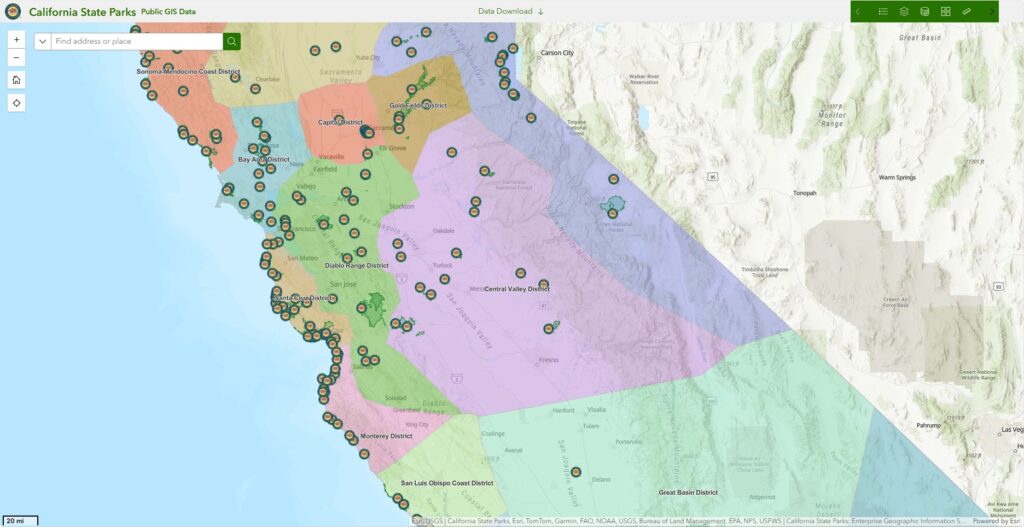
California State Parks’ Public Data Map
From the California State Parks home page, go to the “Gallery” tab. Click on “View” in the box below the most recent (Jan 16, 2025) version of the “Public Data Map” to open it.
In the Public Data Map, there are tools which allow users to change the way a park or district might be viewed. Using the green tool bar on the map’s upper right corner, open the “Base Map Gallery” (icon with four squares). In it, you’ll have access to a range of base maps, with or without satellite, streets, labels, and topography. If the park is on the coast, try using the “Oceans” base map to view the mapped seafloor and continental shelf.
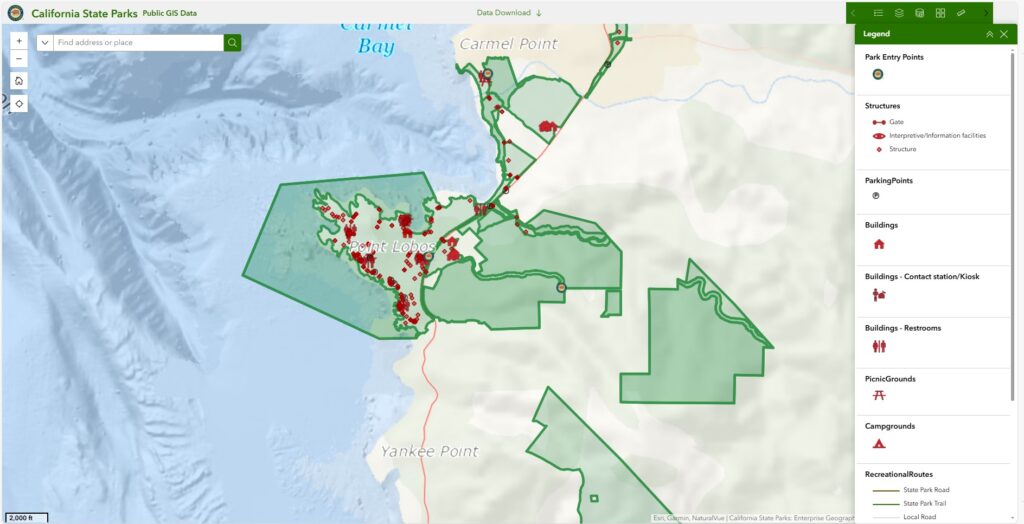
Various data layers are visible on California State Parks’ Public Data Map
If you don’t want to see the layer showing districts, go to the Map Layers tool (icon with a stack of rectangular layers). Here, a user may toggle between hidden and shown layers. Zoom in to your park unit, and the layers showing facilities such as campgrounds, buildings, picnic areas, and restrooms become available. You can turn the legend for the map’s features on and off using the icon resembling a bullet list on the far left of the tool bar.
But wait, there’s more! The tool bar also includes measuring tools for distance and area in multiple units of measurement (both imperial and metric). Lastly, the map tool bar presents the “near me” tool which measures a radius of a selected distance around a given point, line, or polygon.
If you use Google Earth, or an app like it, you may be quite familiar with these tools and capabilities. The advantage of using California State Parks’ “Public Data Map” is that it provides the layers necessary to easily see park boundaries and features.
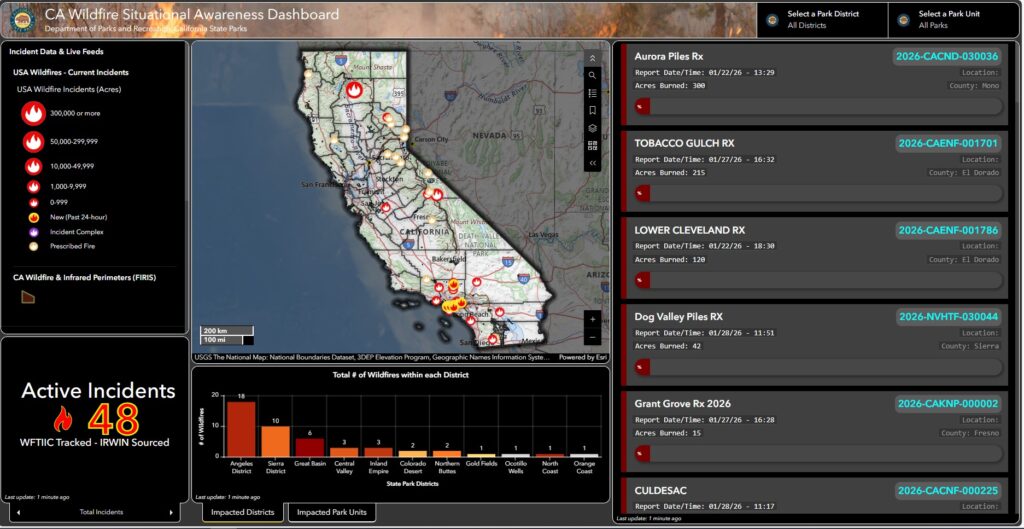
California State Parks’ California Wildfire Situational Awareness Dashboard
Additional resources available without an account include the “California Wildfire Situational Awareness” dashboard, and the “Fire Incidents Map.” The dashboard enables a user to select a park district or park unit, distinguish prescribed fires from wildfires, and see data regarding a fire (name, point of origin, date discovered, date of last report, a calculation of the number of acres burned, etc.).
The “Fire Incidents Map” uses the familiar “Public Data Map” showing park units and district boundaries as its base map, with an additional layer displaying fire locations. As stated by the map’s creators
The following map brings together NASA Modis data, CalFire Incident data and CSP GIS to give a view of current fire conditions in relation to state park units. Data streams may become outdated without notice so always check with local and state fire agencies for the most up to date information.
Use the layer button on the top right corner of the map to toggle on and off the different data sources available.
Sources:
- NASA FIRMS Modis 6
- CalOES Incident Data Stream
- NIFC Incident Data Stream
- California State Parks, Enterprise GIS Program
CalFire data streams are updated every 5 minutes.
Fire data carries utility primarily for safety reasons, but data on recent fires or areas where prescribed burns have occurred can be helpful in interpreting topics related to climate change and historic land stewardship.
Have fun exploring and finding creative ways to use maps in research for your interpretation programs! If your fellow staff at the district or park level have Arc GIS Online accounts, ask them about future collaborations you might create with them.